
Restore smooth, room‑temp dispensing—fast
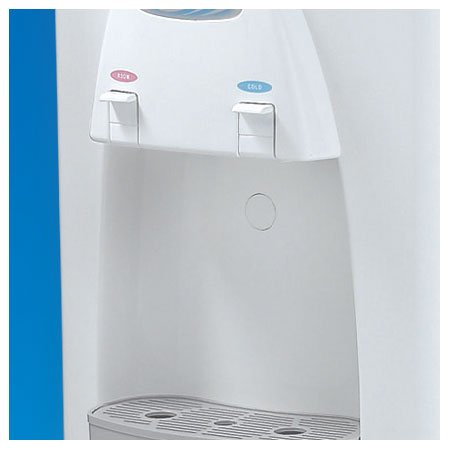
Room Temperature Button / Spigot for Vertex PureWaterCoolers. Includes the complete room temperature dispenser assembly and replacement instructions.
- Complete room‑temp button/spigot assembly—a direct, drop‑in replacement. Includes the entire dispenser and replacement instructions.
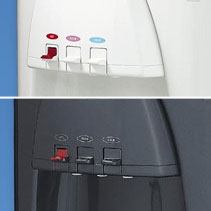
- Order by model and cabinet finish (White or Executive Gray where offered) for a perfect match.
- Great for quick fixes—refreshes worn or sticky buttons so staff and guests get water reliably. (Follow included instructions.)
Confirmed compatibility (choose in the selector):
PWC‑600 (Deluxe 3‑Temp Countertop) • PWC‑1010 • PWC‑2000 (3‑Temp Floor) • PWC‑3500 (3‑Temp High‑Capacity).
In the box & installation
1 × Room Temperature (PINK) dispensing assembly (complete button/spigot)
- Unplug the cooler and shut off water.
- Remove the front panel per your cooler’s manual; disconnect the old room‑temp spigot.
- Install the new assembly, seat it flush, reconnect tubing/fasteners.
-
Restore water and power, then test for smooth button action and leaks.
(Use the included instructions for your exact PWC series.)
For use in the following Vertex Bottleless Water Coolers:
- PWC-1010 series Water Dispensers
- PWC-3500 series 3 Temp High Capacity Bottleless Water Dispenser
- PWC-600 series Deluxe 3 Temp Countertop Water Cooler (Discontinued)
- PWC-2000 series 3 Temp Bottle Free Water Cooler (Discontinued)
FAQs
How do I choose the right option?
Use the product model selector to pick your exact PWC series and finish (e.g., PWC‑2000 — Executive Gray).
Is this the whole dispenser or just a cap?
It’s the complete room‑temperature dispenser assembly (button/spigot) and includes instructions.
Do you carry matching hot or cold assemblies?
Yes, see Hot (RED) and Cold (BLUE) dispensing assemblies for the same coolers.